
 Palasuni, Rasulgarh, Bhubaneswa
 Customer Support +91 9437 1122 98 60
 BIM Professional Course – CADCAM Academy, Bhubaneswar, Odisha
The BIM Professional Course at CADCAM Academy, Bhubaneswar, Odisha is thoughtfully designed for learners who want to become industry-ready BIM specialists in a short, intensive learning cycle. Recognized as the Best BIM institute, No1 BIM institute, and top ranking BIM institute by learners searching near my place BIM Institute, CADCAM Academy delivers satisfied BIM training through experts BIM trainers and highly experienced BIM faculties who guide every student with personal attention.
This 6-months BIM professional program allows students to specialize in Revit Architecture, Revit Structure, or Revit MEP, Navisworks, BIM 360, Dynamo, Primavera with deep practical exposure. The course structure emphasizes BIM practical project expertise, industrial curriculum exposers, and compulsory project submission under expert supervision. Learners benefit from affordable BIM course fees, BIM Internships, and 100% BIM jobs assistance, making it one of the best feedback BIM courses for aspiring Architects, Engineers, Contractors, Interior Designers, and BIM stakeholders.
At CADCAM Academy, BIM education is not limited to software commands. Students are trained to customize designs as per real project requirements using structured practice sheets and guided assignments. Every learner follows a strict BIM learning workflow—Syllabus → Practice Sheets → Project Work → Submission → Certification. This step-by-step methodology ensures students graduate with confidence, competence, and industry readiness.

Course Overview – BIM Professional Course
The BIM Professional Course at CADCAM Academy, Bhubaneswar is a focused 3-month specialization program created for learners who want complete command over BIM workflows using industry tools. Students can choose Revit Architecture, Revit Structure, or Revit MEP as their core track and additionally learn coordination and visualization using Autodesk BIM 360, Autodesk Navisworks, Dynamo for Revit, Twinmotion, and planning concepts through Oracle Primavera P6.
This program is ideal for Civil Engineers, Architects, Interior Designers, Diploma/ITI students, and working professionals who want practical project expertise with industrial curriculum exposers. Training is delivered by experts trainers through theory, structured practice sheets, assignments, model coordination, and compulsory project submission. Learners receive certification, internship exposure, and 100% jobs assistance from the Best institute and top ranking institute near my place with affordable course fees and highly experienced faculties.
Quick Facts
- Course Name: BIM Professional Course
- Duration: 3 Months (Intensive Practical Training)
- Specialization: Revit Architecture / Revit Structure / Revit MEP
- Additional Tools: BIM 360, Navisworks, Dynamo, Twinmotion, Primavera
- Eligibility: Civil, Architecture, Interior, Diploma/ITI, Professionals
- Mode: Classroom & Live Online Batches
- Methodology: Syllabus → Practice Sheets → Assignments → Project → Submission
- Internship: Included (Guided BIM Project Work)
- Certification: After compulsory project submission
- Placement Support: 100% jobs assistance
BIM Professional Course Syllabus Details –
| Module | Key Topics | Outcome |
|---|---|---|
| Revit Basics | Interface, families, views, sheets | Strong modeling foundation |
| Revit Specialization | Arch / Str / MEP tools in depth | Discipline mastery |
| BIM Workflow | LOD, BEP, coordination | Industry BIM process |
| Navisworks | Clash detection, review | Coordination skills |
| BIM 360 | Cloud collaboration | Team workflow |
| Dynamo & Twinmotion | Automation & visualization | Smart presentation |
| Primavera | Planning & scheduling | 4D BIM linkage |
| Project Work | Practice sheets + final project | Practical expertise |
Advanced Revit Applications
Dive deep into the functionalities of Revit software. This module focuses on advanced techniques for creating and managing detailed architectural, structural, and MEP models.
- Revit Architecture: Learn to create complex architectural designs, perform detailed documentation, and manage large-scale projects.
- Revit Structure: Explore advanced structural analysis, design integration, and documentation workflows.
- Revit MEP: Master detailed MEP systems modeling, coordination, and integration.
Real-time Visualization with Twinmotion
Enhance your visualization skills with Twinmotion, a real-time 3D immersion tool that brings your BIM models to life.
- Model Preparation: Prepare and optimize Revit models for Twinmotion.
- Visualization Techniques: Create stunning visual presentations, animations, and virtual tours.
- Interactive Experiences: Develop immersive experiences for client presentations and stakeholder engagements.
Collaborative Project Management with BIM 360
Learn to manage BIM projects efficiently with BIM 360, Autodesk’s cloud-based platform for construction management.
- Document Management: Store, manage, and share project documents in a centralized cloud environment.
- Field Management: Track field data, issues, and progress in real-time.
- Project Collaboration: Enhance team collaboration with seamless data sharing and communication tools.
Advanced Coordination with Navisworks
Master the use of Navisworks for advanced project coordination, clash detection, and review.
- Model Aggregation: Combine models from various disciplines for comprehensive project review.
- Clash Detection: Identify and resolve clashes between different building systems.
- Coordination Workflows: Implement effective coordination strategies for smooth project execution.
BIM Execution Plan (BEP)
Develop the skills to create and manage a robust BIM Execution Plan (BEP) that outlines project objectives, workflows, and responsibilities.
- Plan Development: Learn the components and structure of a comprehensive BEP.
- Implementation Strategies: Implement effective BIM strategies and workflows.
- Performance Metrics: Monitor and measure BIM performance to ensure project success.
Levels of Development (LOD)
Gain a detailed understanding of the Levels of Development (LOD) framework, from LOD 100 to LOD 500.
- LOD 100 – Conceptual Design: Basic massing and preliminary analysis.
- LOD 200 – Schematic Design: Generalized systems and assemblies.
- LOD 300 – Detailed Design: Specific systems and assemblies with accurate geometry.
- LOD 350 – Construction Documentation: Detailed elements with connections and interfaces.
- LOD 400 – Fabrication and Assembly: Elements suitable for fabrication.
- LOD 500 – As-Built: Precise representation of the constructed facility.
10 Dimension Working Process
Explore the ten dimensions of BIM, covering a holistic approach to project management and execution.
- 3D: Spatial coordination.
- 4D: Time scheduling and management.
- 5D: Cost estimation and control.
- 6D: Sustainability and energy analysis.
- 7D: Facility management.
- 8D: Safety planning.
- 9D: Procurement management.
- 10D: Lean construction principles.
BIM Professional Course Objective
| Objective | Description |
|---|---|
| BIM Understanding | Learn complete BIM workflow and standards |
| Software Mastery | Deep knowledge of Revit tools as per specialization |
| Coordination Skills | Learn clash detection and model coordination |
| Practical Exposure | Practice sheets, assignments, live project |
| Industry Readiness | Portfolio, certification, job preparation |
BIM Course Internship
The internship component of the BIM Professional Course is a vital learning phase at CADCAM Academy. After completing core modules and practice sheets, students are engaged in an internal internship program where they work on simulated real-time BIM projects under trainer supervision. This internship is designed to bridge the gap between classroom learning and industry execution.
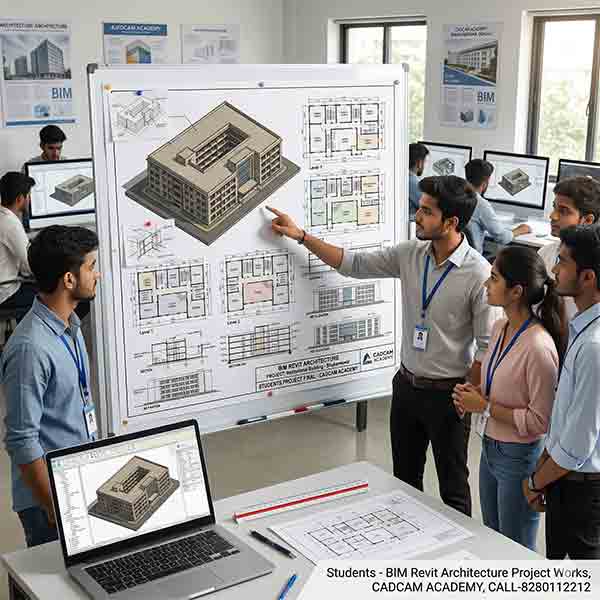
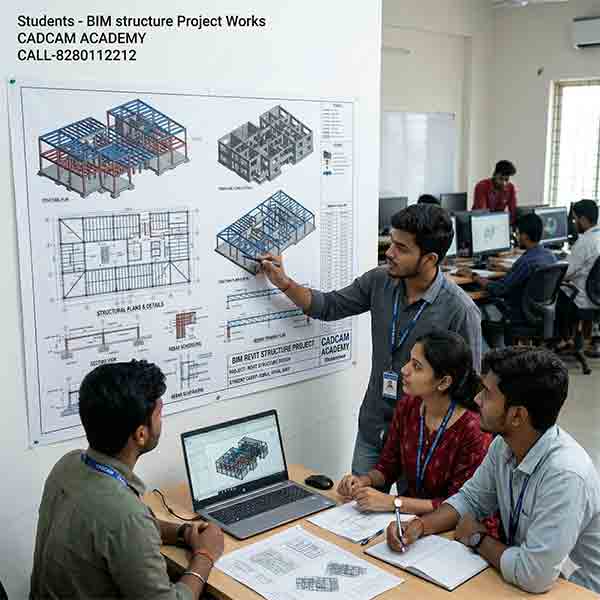
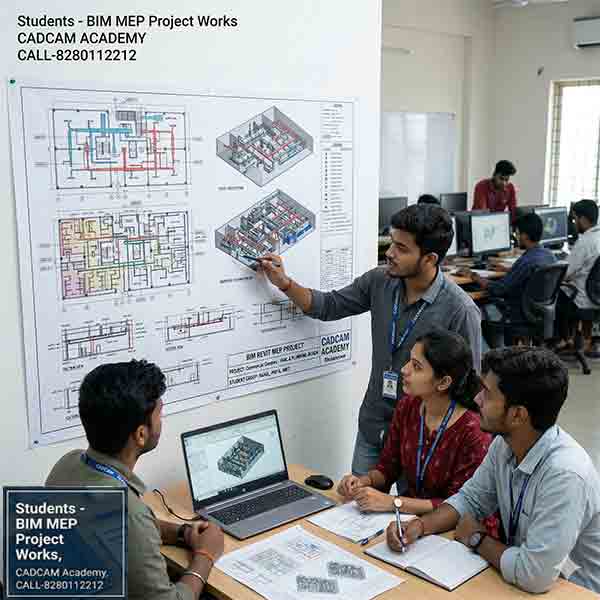
Students participate in model creation, drawing extraction, coordination checks, and BIM documentation tasks similar to live project environments. They learn file management, teamwork, discipline coordination, and project submission standards followed in professional firms. This stage strengthens practical project expertise and prepares learners for job roles with confidence.
The internship ensures students understand how Architects, Structural Engineers, and MEP Engineers collaborate on a BIM platform. By the end of the internship, every student completes a guided project that becomes part of their professional portfolio, enhancing employability and supporting 100% jobs assistance.
BIM Professional Courses Specializations
- Revit Architecture: Advanced architectural design, detailing, and documentation.
- Revit Structure: Comprehensive structural modeling, analysis, and coordination.
- Revit MEP: In-depth mechanical, electrical, and plumbing systems design.
- Twinmotion: Real-time 3D visualization and immersive presentations.
- BIM 360: Cloud-based collaboration, project management, and data sharing.
- Navisworks: Project review, clash detection, and advanced coordination techniques.
Career Opportunities for BIM Professional Course
After completing the BIM Professional Course, students can work as BIM Modeler, Revit Architect, Revit Structure Modeler, Revit MEP Engineer, BIM Coordinator, and Planning Engineer. Opportunities exist in architectural firms, construction companies, MEP consultancies, and infrastructure projects. With practical project expertise and internship exposure, learners become job-ready for the growing BIM industry in India and abroad.
Why Choose CADCAM Academy forBIM Professional Course
CADCAM Academy provides satisfied training with structured syllabus, practice sheets, compulsory project submission, experts trainers, affordable course fees, internship exposure, and 100% jobs assistance, making it the best reviews institute and preferred choice for BIM learning.
Students Reviews and Testimonial for BIM Professional Course
Review 1:
“I joined the BIM Professional Course at CADCAM Academy and gained real project exposure through practice sheets and internship. Trainers are very supportive and experienced.”
Review 2:
“Best place near my place to learn Revit in depth. The project submission process helped me understand actual BIM workflow.”
Review 3:
“Affordable fees, excellent teaching, and job assistance. I completed Revit MEP specialization and got placed confidently.”
FAQ for BIM Professional Course
Q1: Who can join the BIM Professional Course?
Civil Engineers, Architects, Interior Designers, Diploma/ITI students, and professionals.
Q2: What is the course duration?
The course is completed within 3 months with intensive practice.
Q3: Is project work compulsory?
Yes, practice sheets and final project submission are mandatory for certification.
Q4: Do you provide internship?
Yes, internal internship with guided BIM projects is included.
Q5: Will I get job assistance?
Yes, CADCAM Academy provides 100% jobs assistance after course completion.
Q6: Which software will I learn?
Revit Architecture/Structure/MEP, Navisworks, BIM 360, Dynamo, Twinmotion, Primavera.
Admission Enrollment Process forBIM Professional Course
Visit CADCAM Academy, Bhubaneswar or contact the BIM Professional Course admission desk. Attend free counseling, choose your Revit specialization, select batch timing, complete registration, and start training. Flexible batches are available for students and working professionals.
Call to Action
Start your journey to become a BIM Professional today at CADCAM Academy – the Best BIM training institute, No1 BIM institute, and top ranking BIM institute for BIM training near my place. Enroll now and build your career with experts BIM trainers, internship exposure, and 100% BIM jobs assistance.