
 Palasuni, Rasulgarh, Bhubaneswa
 Customer Support +91 9437 1122 98 60
 Microsoft Project Course Training in Bhubaneswar, Odisha
In today’s highly competitive project-driven industries, effective planning, scheduling, resource management, budgeting, and project monitoring have become essential skills for professionals. The Microsoft Project Course at CADCAM Academy, Bhubaneswar, Odisha is specially designed to help students, engineers, project managers, planners, contractors, consultants, and corporate professionals master industry-standard project management practices using Microsoft Project (MSP).
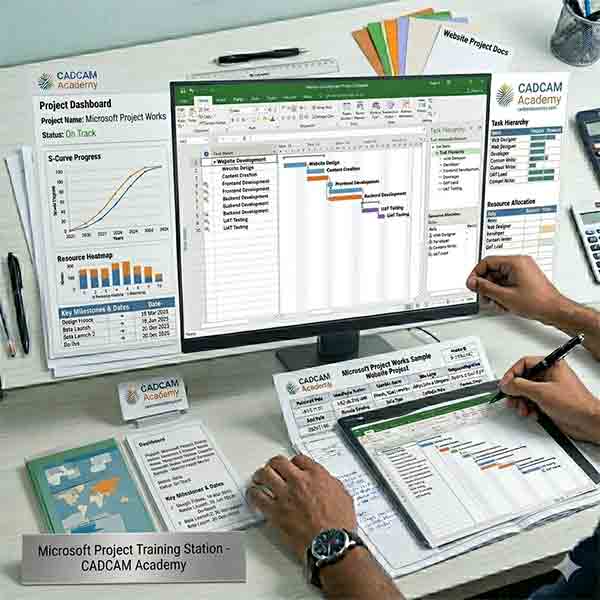
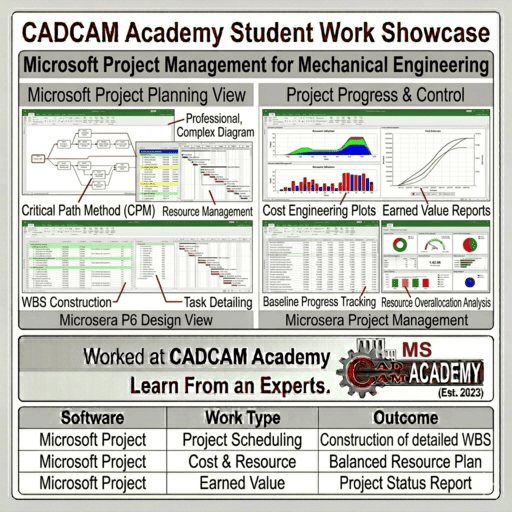
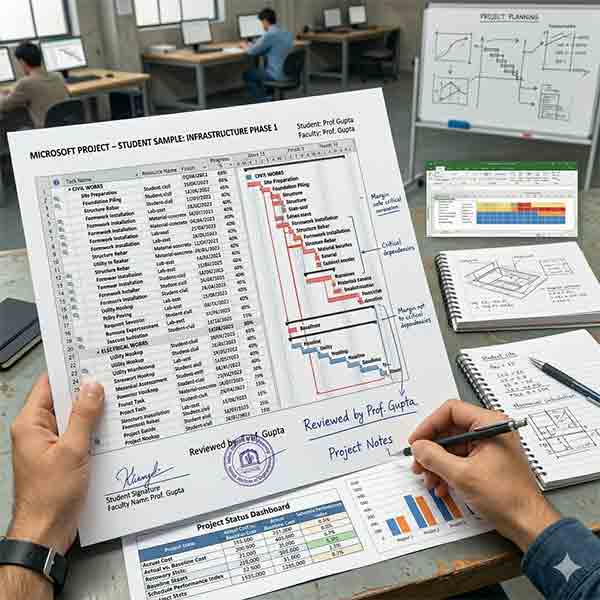
Microsoft Project is a globally recognized project portfolio management software heavily used in construction, infrastructure development, oil & gas industries, refinery projects, manufacturing sectors, electrical engineering projects, mechanical engineering projects, government organizations, and corporate enterprises. This comprehensive 20 Hours Microsoft Project Training Program covers Work Breakdown Structure (WBS), Critical Path Method (CPM), project scheduling, resource allocation, budgeting, cost management, project tracking, baselining, and project reporting.
CADCAM Academy is recognized as one of the Best MSP Institute, No1 Microsoft Project Training Institute, and Top Ranking MSP Institute for providing practical and industry-oriented project management training. We have successfully delivered Microsoft Project Corporate Training, MSP Corporate Training in Odisha, and Microsoft Project College Training to more than 2000+ students and professionals over the last 12 years.
Our highly experienced trainers have successfully conducted training programs for organizations such as OHPC, IOCL, GAIL, Railways, Utkal Builders, Assotech, NSDC, ISTM, PMKVY, MSME, MCA, and many other government and private sector organizations. Whether you are searching for a Microsoft Project Training Institute Near Me, Institute Provide MSP Training, Microsoft Project Training in Odisha, MSP Training Institute in Bhubaneswar, or Microsoft Project Corporate Training Institute, CADCAM Academy offers the perfect learning environment through both online and offline training modes.
At CADCAM Academy, every participant receives structured theory sessions, practical exercises, project-based assignments, real-time project implementation, project submission, certification, and career guidance under the mentorship of highly experienced Microsoft Project faculties.

SPECIALISATION COURSES
- BIM Basic Course -1Months
- BIM Advanced Course - 2Months
- BIM Professional 8Months
- Certificate Interior Design Course
- 6Months Interior Design Course
- 3D Architecture Design Course
- Electrical, Plumbing, HVAC
- 3D Building Design Course
- Civil Engineering Design Course
- Mechanical Engineering Course
- GIS and Mapping Course
- PPM Course
Course Overview – MSP Project Management Course
| Particulars | Details |
|---|---|
| Course Name | Microsoft Project (MSP) Project Management Course |
| Course Eligibility | Students, Engineers, Project Managers, Planners, Contractors, Professionals |
| Duration | 20 Hours Intensive Training Program |
| Mode of Training | Online & Offline |
| Batch Type | Regular, Weekend, Fast Track & Corporate Batch |
| Who Can Join | Civil, Mechanical, Electrical, Construction, Infrastructure, Oil & Gas Professionals |
| Training Methodology | Theory, Practical, Practice Sheets, Assignments, Live Projects |
| Certification | CADCAM Academy Course Completion Certificate |
| Job Placement Assistance | Resume Preparation & Interview Support |
| Internship | Project-Based Practical Exposure Available |
Microsoft Project Course Syllabus (Online & Offline)
SYLLABUS FOR MSP – 2026
| Module | Topics Covered |
| Project Planning Basics | Introduction to MSP, Task Durations, Milestones, Manual & Automatic Scheduling, Task Relationships, Critical Path, Constraints, Deadlines, Recurring Activities |
| Resource Management | Resource Types, Work Resources, Material Resources, Cost Resources, Resource Calendars |
| Resource Assignment & Levelling | Resource Assignments, Work Assignments, Assignment Issues, Hire Charges, Resource Levelling |
| Project Cost Management | Project Costs, Cost Reviews, Usage Costs, Material Costs, Rate Changes, Cost Reports |
| Tracking & Controlling Projects | Constraints, Baseline Creation, Task Updates, Delayed Tasks, Actual Progress Tracking, Gantt Chart Monitoring |
Corporate MSP Training
CADCAM Academy has established itself as a leading provider of Microsoft Project Corporate Training programs for government departments, private companies, infrastructure organizations, educational institutions, and industrial sectors. Our corporate training modules are customized according to organizational requirements and project execution standards.
We have successfully conducted MSP Corporate Training programs for organizations including OHPC, IOCL, GAIL, Railways, Utkal Builders, Assotech, NSDC, ISTM, MSME, PMKVY, MCA, and several infrastructure companies. Training programs are designed for project engineers, project managers, planning engineers, site engineers, EPC contractors, consultants, and management professionals.
In addition to corporate sectors, CADCAM Academy also provides Microsoft Project College Training programs for engineering colleges, technical institutions, management institutes, and universities. Students gain practical knowledge of project scheduling, resource management, project budgeting, and project tracking that helps them become industry-ready.
Training can be delivered online, offline, on-campus, at client locations, or through customized workshop formats. Our corporate training focuses on real-world projects, practical exercises, industry case studies, and project implementation methodologies.
Microsoft Project Course Objectives
|
· Objectives of Microsoft Project Training |
|
· Understand project planning methodologies |
|
· Create Work Breakdown Structures (WBS) |
|
· Develop professional project schedules |
|
· Learn Critical Path Method (CPM) |
|
· Manage resources effectively |
|
· Control project costs and budgets |
|
· Create project baselines |
|
· Monitor and track project progress |
|
· Generate project reports and dashboards |
|
· Improve project delivery performance |
Career Opportunities After Microsoft Project Course
Microsoft Project skills are highly demanded across construction companies, infrastructure projects, EPC organizations, manufacturing industries, oil & gas sectors, railway projects, power plants, government departments, and multinational corporations.
After completing the Microsoft Project Course, learners can pursue careers as Project Planner, Planning Engineer, Project Coordinator, Project Scheduler, Project Controller, Project Management Executive, Construction Planner, Infrastructure Planning Engineer, Project Monitoring Engineer, Cost Control Engineer, Resource Planning Engineer, and Project Management Consultant. MSP knowledge also supports professionals preparing for PMP®, CAPM®, PMI-ACP®, and other internationally recognized project management certifications.
Why Choose CADCAM Academy for Microsoft Project Course?
CADCAM Academy follows a unique and industry-oriented training methodology that focuses on practical learning and professional skill development. Unlike traditional classroom approaches, our Microsoft Project training combines theory, hands-on practice, assignments, project work, and project submission processes.
Our training methodology includes:
✔ Industry-Oriented Curriculum
✔ Highly Experienced Microsoft Project Faculties
✔ Online and Offline Learning Options
✔ Practice Sheets for Every Module
✔ Live Project Implementation
✔ Project Submission & Evaluation
✔ Corporate Training Expertise
✔ Small Batch Personalized Attention
✔ Career Guidance & Resume Support
✔ Certification After Successful Completion
For more than 12 years, CADCAM Academy has been delivering Microsoft Project training to engineering colleges, government organizations, infrastructure companies, and corporate sectors. More than 2000 students and professionals have successfully completed MSP training under our expert faculty team.
Every participant must complete assignments and final project submission before certification. This structured process ensures that learners gain practical confidence and professional competency required by industry employers.
Student Reviews & Testimonials
Review 1
“I completed the Microsoft Project Course at CADCAM Academy and gained practical knowledge of project planning, scheduling, resource allocation, and project tracking. The faculty explained every concept using real construction project examples. The practical sessions and assignments helped me apply MSP confidently in my workplace.”
Review 2
“CADCAM Academy provided excellent Microsoft Project Corporate Training for our project management team. The trainers shared industry-oriented techniques for scheduling and resource management. The project-based learning approach made the training highly effective and useful.”
Review 3
“As a civil engineering student, I wanted to learn project planning software before entering the industry. The Microsoft Project course at CADCAM Academy gave me strong practical exposure through assignments and project work. The certification and placement guidance were additional benefits.”
Frequently Asked Questions (FAQ)
1. What is Microsoft Project?
Microsoft Project is a professional project management software used for planning, scheduling, budgeting, tracking, and controlling projects.
2. Who can join the Microsoft Project Course?
Students, engineers, project managers, planners, contractors, consultants, and working professionals can join.
3. What is the duration of the course?
The course duration is 20 Hours.
4. Is online training available?
Yes. Both online and offline training options are available.
5. Do I receive certification?
Yes. Participants receive a CADCAM Academy certification after successful completion.
6. Is practical training included?
Yes. Practical exercises, assignments, and project work are compulsory.
7. Can civil engineering students join?
Yes. Civil, Mechanical, Electrical, Architecture, and Management students can join.
8. Is corporate training available?
Yes. Customized Microsoft Project Corporate Training programs are available.
9. Does the course cover project cost management?
Yes. Cost planning, budgeting, and cost tracking are covered.
10. Does CADCAM Academy provide placement support?
Yes. Resume preparation and interview assistance are provided.
Admission Enrollment Process
Enrolling in the Microsoft Project Course at CADCAM Academy is simple. Interested candidates can contact our admission team through phone, website inquiry form, WhatsApp, or direct institute visit. After counseling and course guidance, candidates complete the registration process and submit the required documents. Students receive batch schedules, training materials, and project guidelines before course commencement. Both online and offline enrollment facilities are available. Early enrollment is recommended to secure seats in upcoming batches.
Call to Action
Become a Professional Project Planner with CADCAM Academy
Advance your career in project management with industry-oriented Microsoft Project training from CADCAM Academy. Learn project planning, scheduling, budgeting, resource management, project monitoring, and project reporting from highly experienced trainers.
Whether you are a student, engineer, project manager, contractor, consultant, or corporate professional, this course will help you develop practical project management skills demanded by today’s industries.
Join the Microsoft Project Course Today and Build Your Future with Confidence.
Contact Details
CADCAM Academy, Bhubaneswar, Odisha
📞 Mobile: +91 8280112298
📞 Mobile: +91 9437112298