

 Palasuni, Rasulgarh, Bhubaneswa
 Customer Support +91 9437 1122 98 60
 The AutoCAD Building Design Course at CADCAM Academy Bhubaneswar is designed for students, engineers, architects, and professionals who want to develop strong skills in computer-aided building drafting and architectural design. In today’s modern construction industry, accurate digital drawings are essential for planning, design visualization, and project execution.
Through this course, learners gain practical knowledge of AutoCAD building drafting, architectural planning, structural layouts, and construction drawings. The training focuses on real industry practices so that students can confidently create professional building design drawings using AutoCAD software.
At CADCAM Academy, the course combines theoretical knowledge with intensive practical sessions, allowing learners to develop real-world drafting skills that are highly valued in the architecture, engineering, and construction sectors.
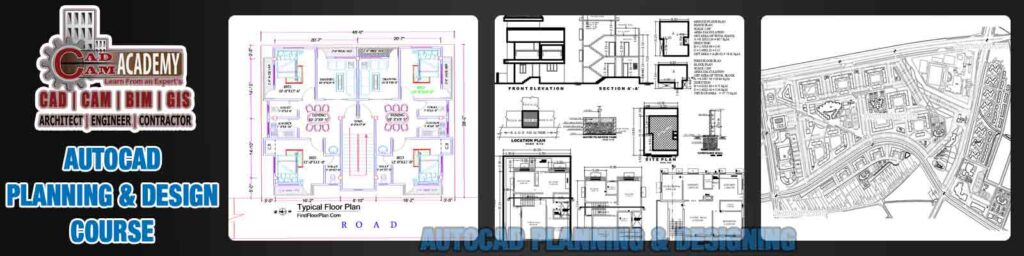
AutoCAD Building Design Course in Bhubaneswar – Professional CAD Training at CADCAM Academy
Why Learn AutoCAD for Building Design?
The use of AutoCAD for building design and construction planning has become a standard practice across the architectural and civil engineering industries. With the help of AutoCAD drafting software, professionals can produce highly accurate drawings, improve design productivity, and reduce manual errors.
Learning AutoCAD Building Design offers several advantages:
Develop professional architectural drafting skills
Create accurate building floor plans and elevations
Improve efficiency in construction drawing preparation
Work effectively with architects, engineers, and designers
Build a strong career in civil engineering and architectural design
By mastering AutoCAD building planning and drafting techniques, students can significantly improve their career opportunities in the construction and infrastructure sectors.
What You Will Learn in AutoCAD Building Design
The AutoCAD Building Design training at CADCAM Academy covers all the essential tools and techniques required to create professional architectural drawings.
1. Introduction to AutoCAD Software
Students start by learning the fundamentals of AutoCAD drafting tools, interface navigation, coordinate systems, and drawing management.
Key learning topics include:
Understanding AutoCAD workspace
Drawing setup and units
Basic CAD drawing commands
Object selection and editing tools
These fundamentals help students build a strong base in AutoCAD architectural drafting.
2. 2D Building Plan Drafting
Creating 2D building plans in AutoCAD is a crucial skill for architectural and civil design professionals. Students learn how to prepare accurate floor layouts and structural planning drawings.
Topics covered include:
Residential building floor plan design
Wall layouts and structural grids
Doors, windows, and staircase design
Dimensioning and annotations
This module focuses on professional AutoCAD building layout preparation used in real projects.
3. Architectural Drawing and Detailing
Architectural drawings require high precision and clarity. In this module, students learn how to prepare professional architectural construction drawings using AutoCAD.
Training includes:
Elevation drawing preparation
Sectional views of buildings
Construction detailing
Layout presentation techniques
These skills help learners develop expertise in AutoCAD architectural design drafting.
4. Building Layout Planning
Proper planning is essential before constructing any building. The course explains how to create organized and well-structured building layout drawings in AutoCAD.
Students learn:
Site layout planning
Plot boundary and setbacks
Column and beam placement
Structural reference drawings
This training helps students understand complete building planning using AutoCAD software.
5. Professional CAD Drawing Management
Managing drawings efficiently is important for large construction projects. This module focuses on improving workflow and drawing organization.
Key topics include:
Layer management
Blocks and reusable components
Title blocks and drawing templates
Printing and plot settings
By mastering these techniques, students become proficient in professional AutoCAD drafting workflow.
Career Opportunities After AutoCAD Building Design Training
The demand for professionals skilled in AutoCAD building design and architectural drafting continues to grow in the construction and infrastructure industries.
After completing this course, students can pursue roles such as:
AutoCAD Draftsman
Architectural CAD Designer
Civil CAD Technician
Building Planning Drafting Engineer
Construction Drawing Specialist
Professionals with expertise in AutoCAD building design software can work in architectural firms, construction companies, real estate developers, and engineering consultancies.
Why Choose CADCAM Academy for AutoCAD Training?
CADCAM Academy Bhubaneswar is known for delivering high-quality professional training in CAD, BIM, engineering, and design software. The AutoCAD Building Design Course is carefully designed to provide students with practical industry-oriented skills.
Key advantages include:
Training by experienced industry professionals
Practical project-based learning approach
Advanced AutoCAD architectural drafting techniques
Hands-on software practice sessions
Professional certification after course completion
Students receive guidance that helps them develop strong technical skills in AutoCAD building design and drafting.
Practical Training Methodology
At CADCAM Academy, the training focuses on practical learning and real project experience. Students practice on real building plans and architectural drawings to gain industry-level knowledge.
The learning approach includes:
Concept explanation
Guided practical exercises
Building plan drafting projects
Drawing submission and review
This structured approach ensures that students become confident in creating professional building drawings using AutoCAD.
Certification and Skill Recognition
After successfully completing the AutoCAD Building Design Course, students receive a professional certification from CADCAM Academy. This certification demonstrates expertise in AutoCAD drafting and architectural building design, helping learners strengthen their professional profiles.
The certification supports career opportunities in the fields of:
Architectural design
Civil engineering drafting
Construction planning
Infrastructure project design
Conclusion
The AutoCAD Building Design Course at CADCAM Academy in Bhubaneswar provides a comprehensive learning platform for students who want to build a career in architectural drafting and construction design. By mastering AutoCAD building planning, drafting, and architectural drawing techniques, learners gain valuable skills required in the modern construction industry.
If you are looking to develop professional expertise in AutoCAD building design and architectural CAD drafting, CADCAM Academy offers the right environment to learn from experts and gain practical industry knowledge.