
 Palasuni, Rasulgarh, Bhubaneswa
 Customer Support +91 9437 1122 98 60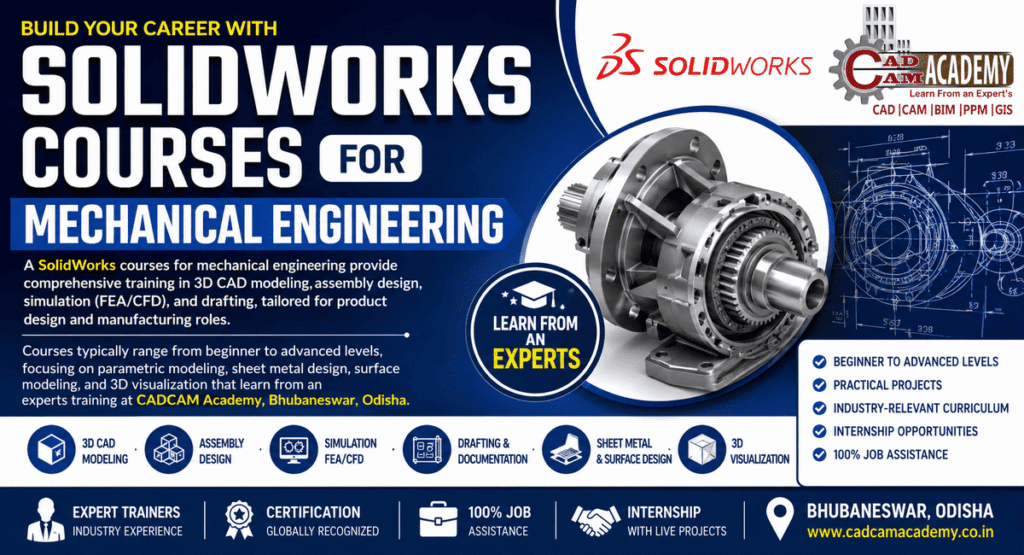
Solidwork Training Course for Mechanical Design at CADCAM Academy, Bhubaneswar
The SOLIDWORKS course for Mechanical Design at CADCAM Academy, Bhubaneswar, Odisha is crafted for mechanical engineering students and working professionals who aim to master industry-level 3D CAD design, assembly modeling, simulation, and manufacturing drawings. Recognized as the Best SOLIDWORKS course institute and No1 SOLIDWORKS course training institute by learners for its quality delivery, the academy provides a structured pathway from fundamentals to advanced parametric modeling.
This program covers 3D part modeling, assembly design, sheet metal, weldments, surface modeling, drafting, and simulation tools like FEA, thermal, and motion analysis. Learners gain hands-on exposure to SOLIDWORKS CAD, SOLIDWORKS CAM, and Visualize for rendering and manufacturing readiness. The training is backed by experts SOLIDWORKS course trainers, highly experienced SOLIDWORKS course faculties, and an industrial curriculum SOLIDWORKS course exposers approach.
Students benefit from SOLIDWORKS course practical project expertise, compulsory assignments, and project submissions before certification. With SOLIDWORKS course affordable course fees, SOLIDWORKS course 100% jobs assistance, and internship opportunities, the institute is rated among the top ranking SOLIDWORKS course institute with best reviews SOLIDWORKS course institute by learners searching near my place SOLIDWORKS course training institute.
Learning Outcomes
- Create manufacturing-ready 3D models and drawings
- Perform structural, thermal, and motion analysis before production
- Develop expertise in sheet metal and complex surface modeling
- Gain confidence to work in automotive, aerospace, and product manufacturing industries as Design Engineer or Product Designer
Solidworks Course Overview – SOLIDWORKS Course Engineering
| Course Name | SOLIDWORKS Course for Mechanical Design |
|---|---|
| Course Eligibility | Diploma, B.Tech, M.Tech, ITI, Working Professionals |
| Duration | 2–3 Months (Fast Track / Regular) |
| Mode of Training | Classroom / Online / Hybrid |
| Batch Type | Weekday / Weekend |
| Who Can Join | Mechanical Students, Designers, Production Engineers |
| Training Methodology | Theory + Practice Sheets + Projects |
| Certification | Course Completion Certificate |
| Job Placement Assistance | SOLIDWORKS course 100% jobs assistance |
| Internship | Included with live projects |
Solidworks Course Syllabus
| Module | Topics Covered |
|---|---|
| Basics | Interface, Sketch tools, Constraints |
| Part Modeling | Extrude, Revolve, Sweep, Loft, Patterns |
| Assembly | Mates, Exploded Views, BOM |
| Drafting | Orthographic Views, GD&T, Annotations |
| Sheet Metal | Flange, Bend, Flat Pattern |
| Weldments | Structural Frames |
| Surface Modeling | Complex shapes and surfaces |
| Simulation | FEA, Thermal, Motion |
| Rendering | Visualize and Presentation |
Solidworks Course Objective
| Objective | Description |
|---|---|
| Design Skills | Master 3D CAD modeling and assemblies |
| Drafting Skills | Create industry-standard drawings |
| Analysis Skills | Perform FEA, thermal, motion studies |
| Manufacturing Ready | Learn sheet metal, weldments, CAM |
| Industry Exposure | Project-based learning approach |
SOLIDWORKS Course Internship
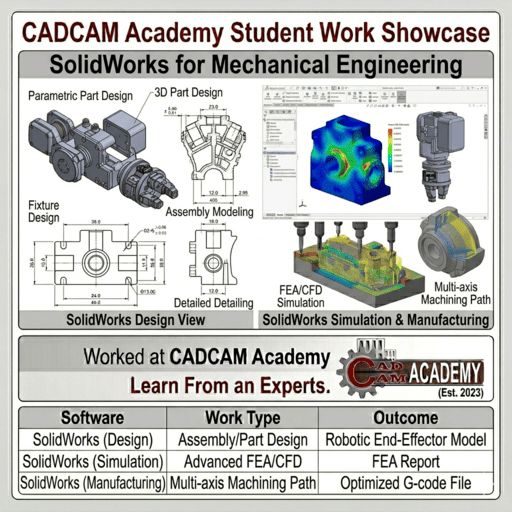
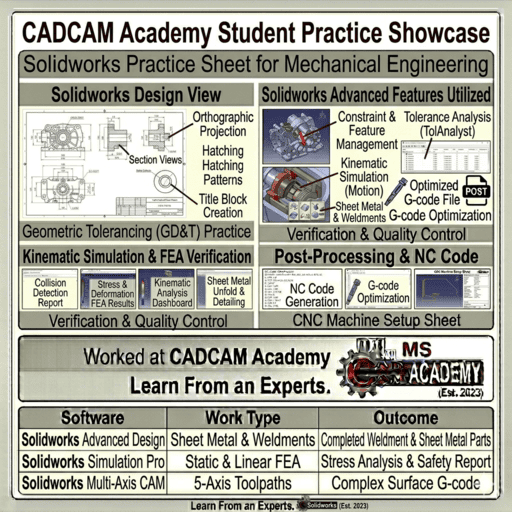
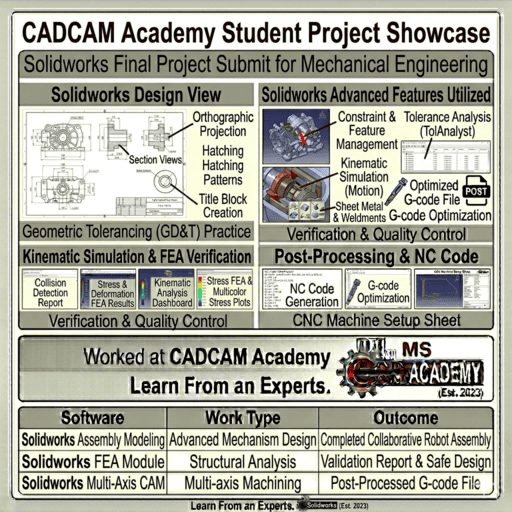
The internship program is a vital part of the SOLIDWORKS course practical project expertise at CADCAM Academy. During the internship, students work on real mechanical component designs, assemblies, sheet metal parts, and structural frames that replicate actual industrial requirements. This phase bridges the gap between software learning and industrial application.
Students are assigned guided design tasks such as gearbox casing modeling, machine vice assembly, conveyor components, and fabricated structures using weldments. They create complete manufacturing drawings with dimensions, tolerances, and BOM, just like industry standards. Simulation tasks are included where learners test stress, displacement, and thermal effects on designed parts.
The internship ensures learners gain confidence in handling client-based design requirements. Trainers monitor progress and provide correction sessions to improve modeling strategy and design intent. This structured exposure gives students the confidence to attend interviews and perform in design roles. This is why learners provide best feedback Structural Designs and rate the training as SOLIDWORKS course satisfied training.
Career Opportunities Solidworks Course
After completing the SOLIDWORKS course for Mechanical Design, students can pursue roles such as Design Engineer, Product Designer, CAD Engineer, Sheet Metal Designer, Structural Designer, and Manufacturing Design Engineer. Industries like automotive, aerospace, machinery manufacturing, fabrication, and consumer products actively hire SOLIDWORKS professionals. The combination of modeling, drafting, and simulation skills makes learners job-ready. With SOLIDWORKS course 100% jobs assistance and internship exposure, students confidently attend interviews and secure placements in design and production departments.
Why Choose CADCAM Academy for This Course
CADCAM Academy follows a strict practice-oriented methodology with assignments, projects, and compulsory submissions. Guided by experts SOLIDWORKS course trainers, students receive real industrial exposure, ensuring strong Structural Design understanding and practical confidence that differentiates them in interviews and workplace performance.
Students Reviews and Testimonials
Review 1:
The training method helped me understand SOLIDWORKS from basics to advanced. Practice sheets and projects improved my confidence in assembly and drafting. Trainers are very supportive and experienced.
Review 2:
Best place to learn SOLIDWORKS for mechanical design. Internship and job assistance helped me attend interviews confidently. I strongly recommend this institute.
Review 3:
Excellent teaching with real industrial examples. Simulation and sheet metal modules were very useful for my career as a design engineer.
FAQ – SOLIDWORKS for Mechanical Engineering
Q1. Who can join this SOLIDWORKS course?
Mechanical students, diploma holders, ITI, and professionals.
Q2. Do I need prior CAD knowledge?
No, training starts from basics.
Q3. Is project work included?
Yes, compulsory projects and submissions.
Q4. Will I learn assembly and drafting?
Yes, with industry standards and GD&T.
Q5. Is simulation covered?
Yes, FEA, thermal, and motion analysis.
Q6. What is the duration?
2–3 months depending on batch type.
Q7. Is internship available?
Yes, with live design tasks.
Q8. Do you provide certification?
Yes, after successful project submission.
Q9. Is job assistance provided?
Yes, SOLIDWORKS course 100% jobs assistance.
Q10. Are classes available online?
Yes, online and offline modes.
Admission Enrollment Process Solidworks Course
Students can enroll by visiting the academy, calling the support numbers, or registering through the website. A counseling session is arranged to understand student background and career goals. Batch selection (weekday/weekend) is finalized, and enrollment is confirmed after registration. Study materials, schedules, and software guidance are provided before classes begin.
CALL TO ACTION
Start your journey toward a successful Mechanical Design career today.
CADCAM ACADEMY, Bhubaneswar, Odisha
📞 +91 8280112298 | +91 9437112298
Enroll now and learn SOLIDWORKS from experts with practical projects, internship, and job assistance.